

Graphic Design in Photoshop – Complete Guide for Beginners
Graphic design has become an essential skill in the digital era. From social media posts to advertising banners, creative visuals play a major role in attracting audiences. One of the most powerful tools used by designers worldwide is Adobe Photoshop. Graphic Design in Photoshop allows designers to create stunning visuals, edit images, and produce professional marketing materials with ease. Whether you are a beginner or an experienced designer, mastering Photoshop can significantly improve your creativity and career opportunities.
Why Photoshop is Important for Graphic Designers
When it comes to professional design software, Photoshop stands out as an industry-standard tool used by millions of designers, photographers, and digital artists. Graphic Design in Photoshop gives users the ability to manipulate images, create layouts, design advertisements, and develop social media graphics.
Some reasons why Photoshop is popular among designers include:
-
Advanced typography options
-
Layer-based design workflow
-
Compatibility with other Adobe software
-
Professional quality output
You can explore more features directly on the official Photoshop page here:
Explore Adobe Photoshop Official Website
According to Adobe, Photoshop provides a wide range of tools to combine images, customize text, and create unique digital artwork.
Essential Tools Used in Graphic Design
To understand Graphic Design in Photoshop, you must first become familiar with its main tools. Photoshop provides a large toolkit that helps designers create professional graphics efficiently.
Common Photoshop Tools
| Tool Name | Function | Usage in Design |
|---|---|---|
| Move Tool | Moves objects and layers | Adjust layout and composition |
| Brush Tool | Paints and draws on canvas | Digital painting and effects |
| Text Tool | Adds typography | Posters, ads, and social media designs |
| Pen Tool | Creates vector paths | Logo and precise shape design |
| Shape Tool | Creates geometric shapes | Icons and UI elements |
| Gradient Tool | Applies color gradients | Backgrounds and effects |
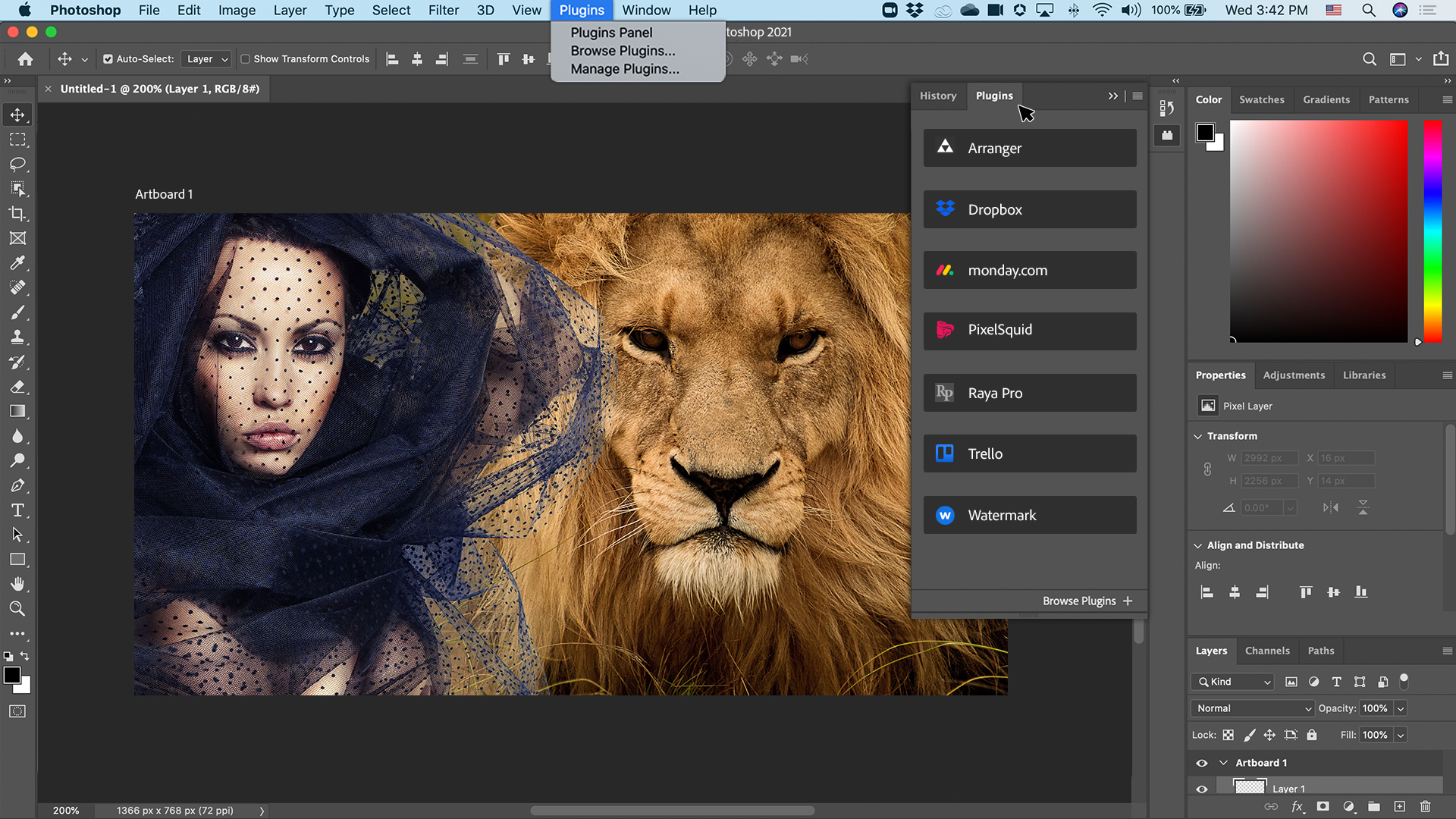
Understanding these tools is the first step toward mastering Graphic Design in Photoshop.
Understanding Layers in Photoshop
One of the most powerful features of Photoshop is the layer system. Layers allow designers to work on different parts of a design independently without affecting the entire artwork.
For example, a social media poster may contain:
-
Background layer
-
Image layer
-
Text layer
-
Graphic elements layer
Using layers effectively makes Graphic Design in Photoshop much easier and more organized. Designers can adjust colors, apply effects, and move elements without damaging the original design.
Typography in Photoshop Design
Typography is a crucial element of design. The right font can completely change the message and visual impact of a design. Photoshop provides advanced text editing features that allow designers to control spacing, alignment, size, and style.
Good typography practices include:
-
Using readable fonts
-
Maintaining proper spacing
-
Creating hierarchy with headings and subheadings
-
Combining fonts creatively
When designers combine typography with images and colors, Graphic Design in Photoshop becomes more visually appealing and professional.
Image Editing and Manipulation
Photoshop is widely known for its powerful image editing capabilities. Designers can retouch photos, adjust colors, remove backgrounds, and create dramatic visual effects.
Some common editing techniques include:
-
Background removal
-
Color correction
-
Image compositing
-
Photo retouching
-
Lighting adjustments
These techniques are essential for creating high-quality visual content. Because of these features, Graphic Design in Photoshop is commonly used in advertising, marketing, and media industries.
Designing Social Media Graphics
Today, social media marketing relies heavily on attractive visuals. Designers use Photoshop to create content for platforms like Instagram, Facebook, and YouTube.
Popular social media designs include:
-
Instagram posts
-
Story graphics
-
YouTube thumbnails
-
Advertising banners
-
Promotional posters
With creative layouts and visual effects, Graphic Design in Photoshop helps businesses capture attention and increase engagement.
Tips to Improve Your Photoshop Design Skills
If you want to become a better designer, practicing regularly is essential. Here are some tips that can help improve your design skills:
-
Learn basic design principles
-
Practice using layers and masks
-
Experiment with typography
-
Study color theory
-
Follow professional designers for inspiration
By applying these techniques, beginners can gradually master Graphic Design in Photoshop and produce high-quality creative work.
Photoshop Design Workflow
A professional design workflow ensures that projects are completed efficiently and effectively. Designers usually follow these steps:
| Step | Description |
|---|---|
| Research | Understand the project goals and target audience |
| Concept | Create rough ideas or sketches |
| Design | Build the layout and visual elements |
| Editing | Adjust colors, fonts, and composition |
| Export | Save files in required formats |
Following this workflow helps designers streamline Graphic Design in Photoshop and deliver professional results.
Learning Photoshop for Beginners
Many beginners think Photoshop is difficult to learn, but with the right guidance and practice, anyone can master it. Online tutorials, design courses, and hands-on projects can help beginners develop their skills quickly.
Beginners should start by learning:
-
Basic tools
-
Layer management
-
Image editing techniques
-
Typography basics
-
Poster and banner design
As skills improve, designers can explore advanced features like photo manipulation, digital art, and branding design. Through consistent practice, Graphic Design in Photoshop becomes a powerful skill that opens many career opportunities.
Career Opportunities in Graphic Design
Learning Photoshop can lead to many exciting career options. Graphic designers are needed in marketing agencies, media companies, startups, and freelance platforms.
Some popular career paths include:
-
Graphic Designer
-
Social Media Designer
-
UI/UX Designer
-
Photo Editor
-
Advertising Designer
As businesses increasingly rely on digital content, professionals skilled in Graphic Design in Photoshop are in high demand.
Conclusion
Graphic design is a creative and rewarding field that combines art, technology, and communication. Photoshop provides designers with powerful tools to create professional visuals for various industries. From photo editing to marketing graphics, the possibilities are endless.
By learning the tools, understanding design principles, and practicing regularly, anyone can become skilled in Graphic Design in Photoshop. Whether you want to start a career, grow your business, or enhance your creativity, Photoshop remains one of the best tools for modern digital design.