

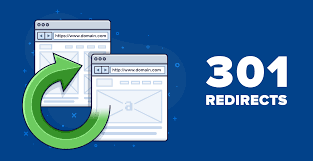
If you’re a website owner, there are chances you’ve heard the phrase “301 redirect” being used—especially if you’re an SEO professional, website mover, or URL changer. But what exactly is a 301 , and why should you care so much about it affecting your website’s performance and search engine ranking?
In this blog, we’re going to cover everything you need to know about 301 redirects: what they are, why you need them, how to do them correctly, and when to do them. You can also check Difference between 301 & 302 Redirects: Which to choose for SEO & UX.

What Is a 301 Redirect?
A 301 redirect is an HTTP status message that tells web browsers and search engines that a web page is permanently moved to another URL. If someone tries to access the original URL, the browser will automatically redirect them to the new URL.
For Example:
Old URL: www.example.com/old-page
New URL: www.example.com/new-page
Using a 301 redirects from the old page to the new page ensures that visitors and search engines are redirected to the proper place in a smooth manner without broken links or an error message.
Why Are 301 Redirects Needed?
-
Maintain SEO Value
Whenever there is a page removal or a move, there is some loss of SEO value (i.e., backlinks, authority, and rankings). A 301 redirect facilitates the transfer of most of that SEO equity (some 90-99% of it) from the initial URL to the new one so you will not lose visibility in search engines.
-
Improve User Experience
No one is going to click on a link and be taken to a “404 Not Found” page. With the right 301 redirect, you provide a seamless experience, directing visitors to the correct content without ambiguity.
-
Prevent Duplicate Content Problems
If duplicate content is more than on one URL, search engines will penalize your site for duplication. Redirecting duplicates or outdated pages to a parent page with a 301 keeps it simple and avoids penalties.

When to Use a 301 Redirect?
Following are the most prevalent scenarios in which 301 redirects are necessary:
- URL changes: When you alter a URL due to SEO or brand purposes.
- Site migration: Transitioning from a site to another (e.g., www.oldsite.com to www.newsite.com).
- HTTP to HTTPS change: To employ secure versions of pages.
- Content merging: Taking many pages and putting them into one.
- Repairing broken links: Transferring old or eliminated pages to matching alternatives.

How to Implement a 301 Redirect
Having a 301 redirect is extremely depends on what type of website and server you’re working with. Below are the most commonly implemented methods:
-
.htaccess (Apache Server)
If your website is hosted on an Apache server, you can place 301 redirects directly to the .htaccess file.
Example:
apache
Redirect 301 /old-page.html https://www.example.com/new-page.html
Make sure to put this line somewhere near the top of your .htaccess file so that it’s processed correctly.
-
Nginx Configuration
Those who use Nginx, 301 redirects are added within the server block of your configuration file.
Example:
nginx
rewrite ^/old-page$ https://www.example.com/new-page permanent;
After updating your configuration, reload Nginx to apply the changes.
-
CMS Plugins (e.g., WordPress)
If you’re using a content management system like WordPress, plugins like Redirection, Yoast SEO, or Rank Math make setting up 301 redirects easy—no coding required.
Steps using Redirection plugin:
- Install and activate the plugin.
- Go to Tools > Redirection.
- Add the source old URL and target new URL.
- Save the redirect.
-
Via Hosting Panel
All web hosting has built-in redirect features. Just go to the redirect feature, choose “301 Permanent,” and enter the old and new URLs.
Best Practices for Utilizing 301 Redirects
To maximize the use of your 301 redirects, follow these important best practices:
✅ Only When Necessary
Too many redirects will slow down your site. Use them only when there is a true necessity.
✅ Never Redirect Chains
A redirect chain takes place when a redirected URL is redirecting another URL(e.g., A → B → C). This decreases page loading and SEO performance. Always redirect straight away (A → C).
✅ Update Redirects
There will come a time when past redirects may be outdated. Update your site time to time and delete the old and unused URL.
✅ Perform Monitoring
Utilize tools like Google Search Console, Screaming Frog, or Ahrefs to monitor redirect success, errors, and fix issues.
Avoid These Common Mistakes
❌ If using 302 instead of 301: A 302 is a temporary redirect and fails to pass maximum SEO value.
❌ Not redirecting removed pages: Redirecting deleted pages without a redirect produces 404 errors, harming UX and SEO.
❌ Redirecting to non-relevant pages: Always redirect to the most relevant content.
Final Thoughts
A 301 redirects is more than just a technical tool—it’s a crucial part of maintaining your website’s health, user experience, and SEO performance. Whether you’re revamping your site structure, moving domains, or just cleaning up broken links, knowing how to use 301 redirects properly can save your rankings and retain your audience.
In the event that you haven’t yet scanned for broken URLs or outdated pages, it is now the perfect time to install quality redirects and implement your SEO strategy!
1. Make a Redirect Plan First
Before setting up any redirects, prepare a simple list — one column for your old URLs and another for the new ones. This ensures you won’t miss any pages and helps avoid unnecessary redirect loops.
2. Check Your Redirect Speed
A redirect should work instantly, but if it’s slow, visitors may leave before the page loads. Use tools like GTmetrix or Pingdom to make sure your redirects are quick and smooth.
3. Keep Your Analytics Data Intact
After adding redirects, confirm that your tracking tools (like Google Analytics) are still collecting data correctly. This will help you measure how your traffic and conversions are performing after the changes.
4. Don’t Send Everything to the Homepage
Sending every old URL to your homepage might confuse search engines and hurt your rankings. Instead, redirect each old page to the most relevant new page.
5. Do an SEO Cleanup Alongside
While setting up redirects, take the opportunity to fix broken links, update your sitemap, and adjust your robots.txt file. This will improve both SEO and user experience.
Pro Tip:
If you’re doing a full site migration or restructuring URLs, keep your 301 redirects active for at least 12–18 months. This gives both users and search engines enough time to adjust to the new addresses.
Common Misconceptions About 301 Redirects
Myth 1: 301 Redirects Damage Your Rankings
Many people worry that using a 301 redirect will hurt their search rankings. The truth? If you set it up properly, a 301 passes almost all the SEO strength from the old page to the new one.
Myth 2: You Can Remove Them Quickly
Some think you only need to keep a redirect for a few weeks. In reality, search engines can keep the old URL in their index for months, and users might still click old links in emails, social media posts, or bookmarks.
Myth 3: One Redirect Works for Everything
Not every situation calls for a 301. If the change is temporary, a 302 might make more sense. Choosing the wrong type can affect both SEO and user experience.
How to Keep Your 301 Redirects Working Well
Once your redirects are in place, you still need to check that they’re doing their job. Here’s how:
-
Look for Errors Regularly – Tools like Google Search Console can help you spot broken redirects or loops.
-
Track Your Traffic – Compare your traffic data before and after adding redirects to see if visitors are landing on the right pages.
-
Clean Them Up Occasionally – Every few months, review your redirects and remove any that are no longer needed. This helps keep your site running fast.
Why Planning Your Redirects Matters
Think of your website like a city map, and each URL is a street. If a street suddenly disappears without a detour, people will get lost and leave. A smart redirect strategy is like putting up clear road signs — it guides visitors exactly where they need to go, keeps them happy, and helps maintain your SEO strength.
Practical Examples of When to Use 301 Redirects
To better understand their value, let’s look at a few everyday situations where 301 redirects can make a real difference:
-
Rebranding a Business: If you change your company name and domain, 301 redirects ensure loyal customers and search engines find your new site without confusion.
-
Merging Content: Say you have two blog posts covering similar topics. Instead of keeping both, you combine the best information into one article and redirect the old page to the new one.
-
Fixing Typos in URLs: Sometimes a page URL might have a spelling mistake or an outdated format. A quick redirect sends people to the corrected version.
-
Switching to HTTPS: When upgrading to a secure site, 301 redirects guide every visitor from the old “http” version to the secure “https” version.
The Bottom Line
301 redirects aren’t just a technical tool — they’re a way to protect your site’s hard-earned authority, keep visitors happy, and maintain a clean website structure. Whether you’re making small changes or overhauling your site, taking the time to plan and monitor your redirects will save you from SEO headaches in the long run. In short, they’re a simple step with a big impact.